
Reservation Grid
Using the Reservation Grid
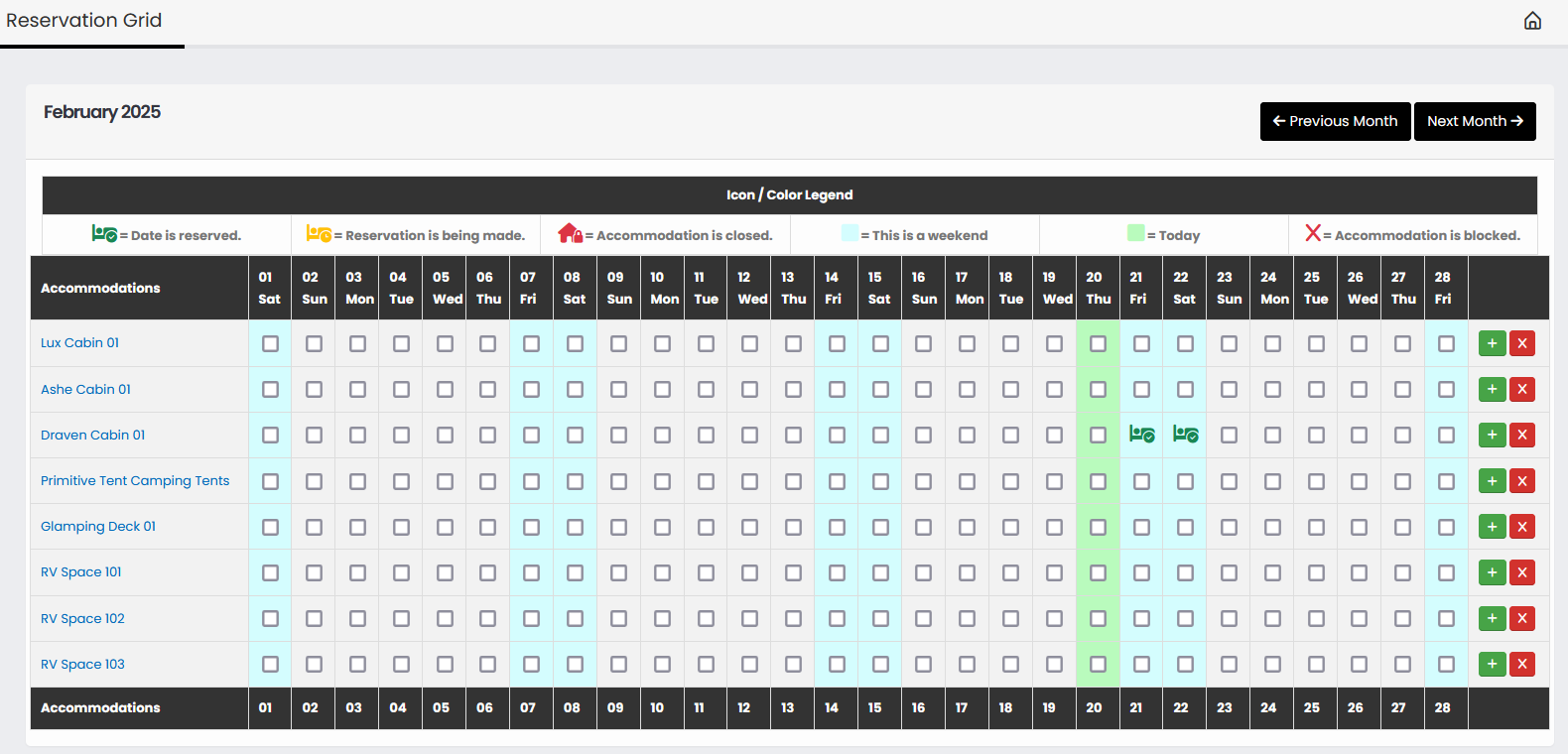
The new and improved TraxMMS Reservation grid provides a quick overview of all your accommodations and perspective reservations, accommodation blocks, and closed accommodations.
Reserving or Blocking an Accommodation
There are times when an accommodation needs to be blocked out, maybe repairs, or another use that's exempt from the reservation engine.
To do so, simply select all the check boxes for the dates that need to be blocked, this include the day in which the accommodation will be free for booking again. For example if you need to block out an accommodation for Jan 04 through Jan 08, you'd select all check boxes for those dates, including Jan 9th. This will block out the nights of the 4th, 5th, 6th, 7th, and 8th. One check boxes are selected, choose the button at the end of the table row that matches your needs. The Green button starts a reservation, while the red button will block out the accommodation for the selected dates.